MKZQ-22 silicone keypad controller
Parz industry & trading Co., Ltd.|warning lightbar Multi function controller| silicone keypad controller



Etiam efficitur, metus in cursus imperdiet, neque nisl porta erat, nec volutpat felis lacus a tellus. Nunc tristique nulla nisi.
Parz industry & trading Co., Ltd.|warning lightbar Multi function controller| silicone keypad controller
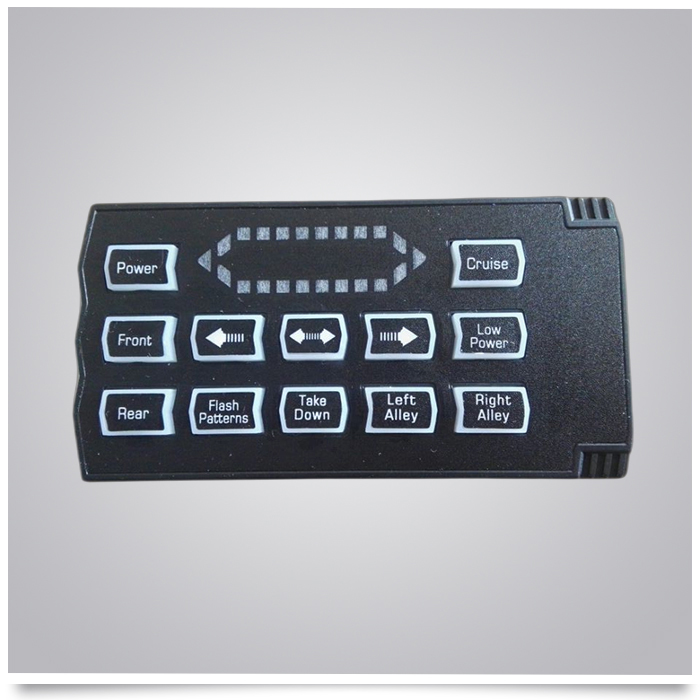
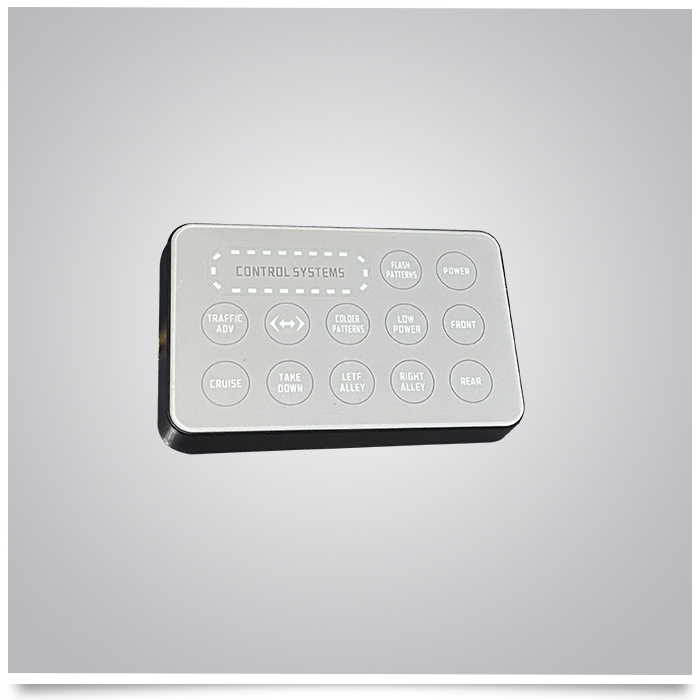
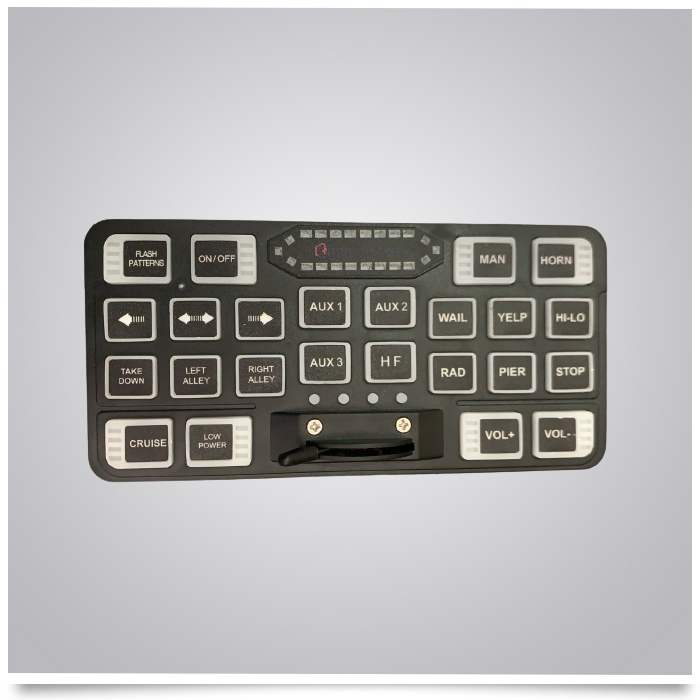
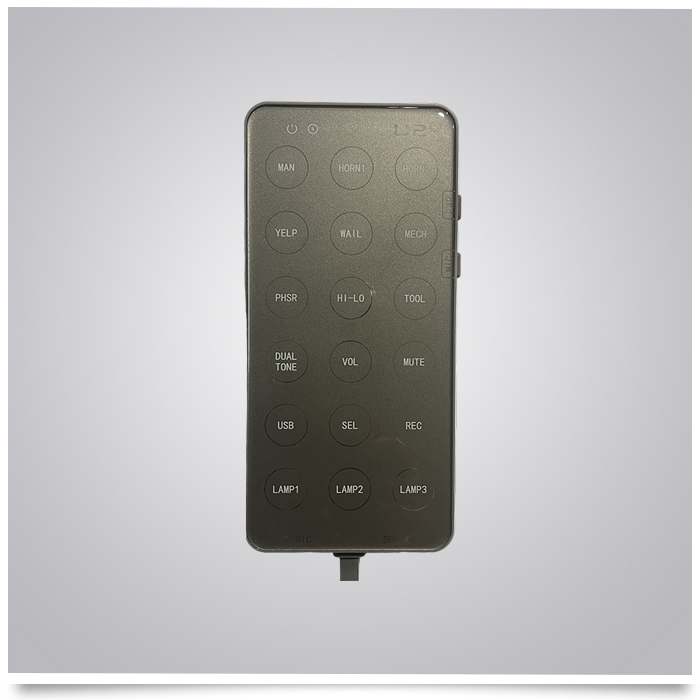
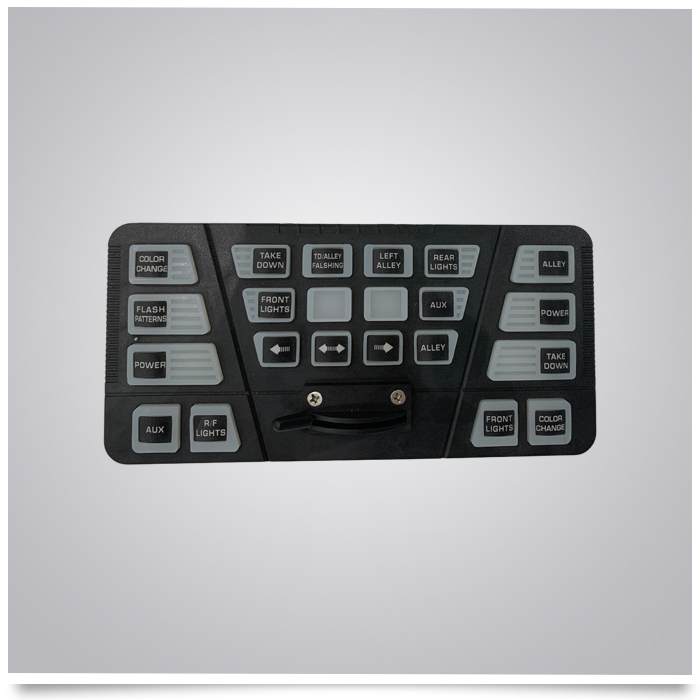
This control switch panel is designed for operating long bar warning light systems on emergency, utility, and service vehicles. It features a durable membrane touch button panel with a silk-screen acrylic control surface and a PC membrane switch sticker. The panel is divided into three functional zones: Left Control Panel, Center Main Control Panel, and Right Control Panel.
Surface Material: PC membrane switch surface sticker
Button Type: silicone keypad
Features: Wear-resistant, water-resistant, dust-proof, and sensitive touch response.
| Button | Function Description |
|---|---|
| COLOR CHANGE | Switches the light color (e.g., from red to blue or amber). |
| FLASH PATTERNS | Cycles through different flashing patterns (e.g., strobe, pulse, alternating). |
| POWER | Main power switch for the entire control system. |
| AUX | Auxiliary switch for additional connected devices. |
| R/F LIGHTS | Toggles the Right/Front lights (or Rear/Front lights, depending on vehicle wiring). |
| Button | Function Description |
|---|---|
| TAKE DOWN | Activates the "Take Down" mode (front-facing high-intensity white lights). |
| TD/ALLEY FALSHING | Toggles the flashing mode for Take Down and Alley lights simultaneously. |
| LEFT ALLEY | Turns on the left-side alley light for side illumination. |
| REAR LIGHTS | Turns on the rear warning lights. |
| FRONT LIGHTS | Turns on the front warning lights. |
| AUX | Auxiliary switch for additional connected devices. |
| ALLEY | General toggle for alley lights (may activate both sides or a specific mode). |
| Arrow Buttons (Left/Right) | Adjust settings (e.g., brightness, speed) or navigate through menu options. |
| Blank Buttons | Reserved / customized function |
| Button | Function Description |
|---|---|
| ALLEY | Turns on the alley lights (side-facing). |
| POWER | Secondary power switch (often for a specific zone or backup). |
| TAKE DOWN | Activates the Take Down mode for front-facing white lights. |
| FRONT LIGHTS | Turns on the front warning lights. |
| COLOR CHANGE | Switches the light color. |
Power On: Press the POWER button on the left or right panel to turn on the system.
Select Mode: Press FLASH PATTERNS to cycle through available flashing modes.
Activate Lights:
Press FRONT LIGHTS or REAR LIGHTS to activate specific warning lights.
Press LEFT ALLEY or ALLEY to activate side illumination.
Press TAKE DOWN for high-intensity white lights.
Adjust Color: Press COLOR CHANGE to switch the light color (if supported by the light bar).
Adjust Settings: Use the Arrow Buttons to adjust brightness or speed.
Auxiliary Devices: Press AUX to control additional equipment.
Power Off: Press POWER again to turn off the system.
Do not use sharp objects to press the membrane buttons to avoid scratching the panel.
Clean with a soft, damp cloth. Do not use corrosive cleaners.
Do not disassemble or modify the control panel while powered on.
If buttons fail or lights behave abnormally, contact professional maintenance personnel immediately.
Ensure the power supply voltage matches the rated voltage of the control panel during installation.
MKZQ-22 silicone keypad controller Recommend products
In addition toMKZQ-22 silicone keypad controller Customers Also Bought